AntBrowser – antidetect browser for creating and working with accounts in services, for example: VC, Avito or Yula. When working through such a browser, users avoid account bans in networks.
What AntBrowser can be useful for:
- When working in Avito or Yulia, create and use 10, 20, 30 accounts to place ads of the same type.
- In contact with, Instagram, Odnoklassniki - maintaining several profiles: advertising mailing, mass liking, mass commenting.
AntBrowser has a lifetime referral program - get 20% from the purchases of each client attracted through the link.
According to the developers, working with the browser, you will bypass the following checks:
- Firefox Leaks;
- Audio Fingerprint;
- timezones, mimetypes;
- fonts CSS;
- Canvas Fingerprint;
- WebGL Fingerprint;
- WebRTC.
AntBrowser generates up to 50 sessions at a time. That is, a user can go to the same site with multiple tabs open, and each tab will have different profiles. The browser supports all types of proxies, but it is recommended to work through Socks5.
Developers also communicate closely with users. If they require the addition of a feature, the developer will take this into account and will be able to add it in new updates. Of the latest developer promises that users demanded - creating an application for linux and anticaptcha bypass.
How to start using AntBrowser
First you need to go to the official website of the developer - antbrowser.pro and register:
- Select "Registration".
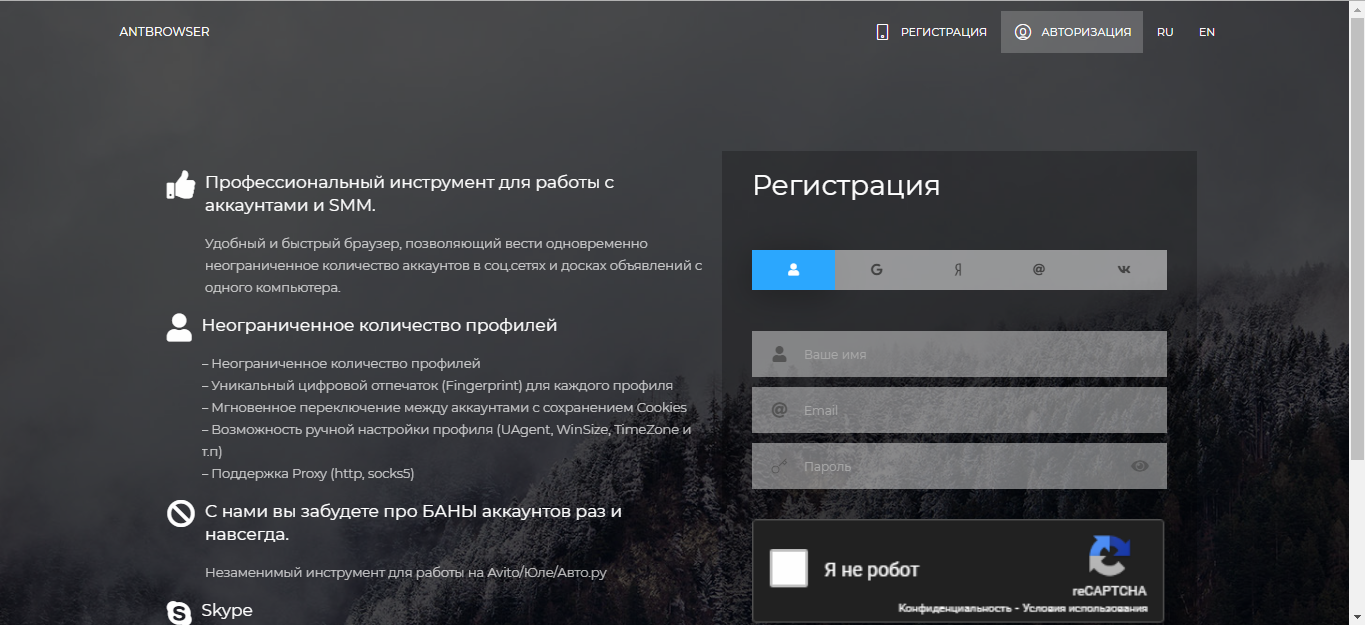
- Enter your email and password. You can also quickly register by choosing authorization through VKontakte, Yandex, Google and Mail.ru
- After registration, log in and proceed to download the client.
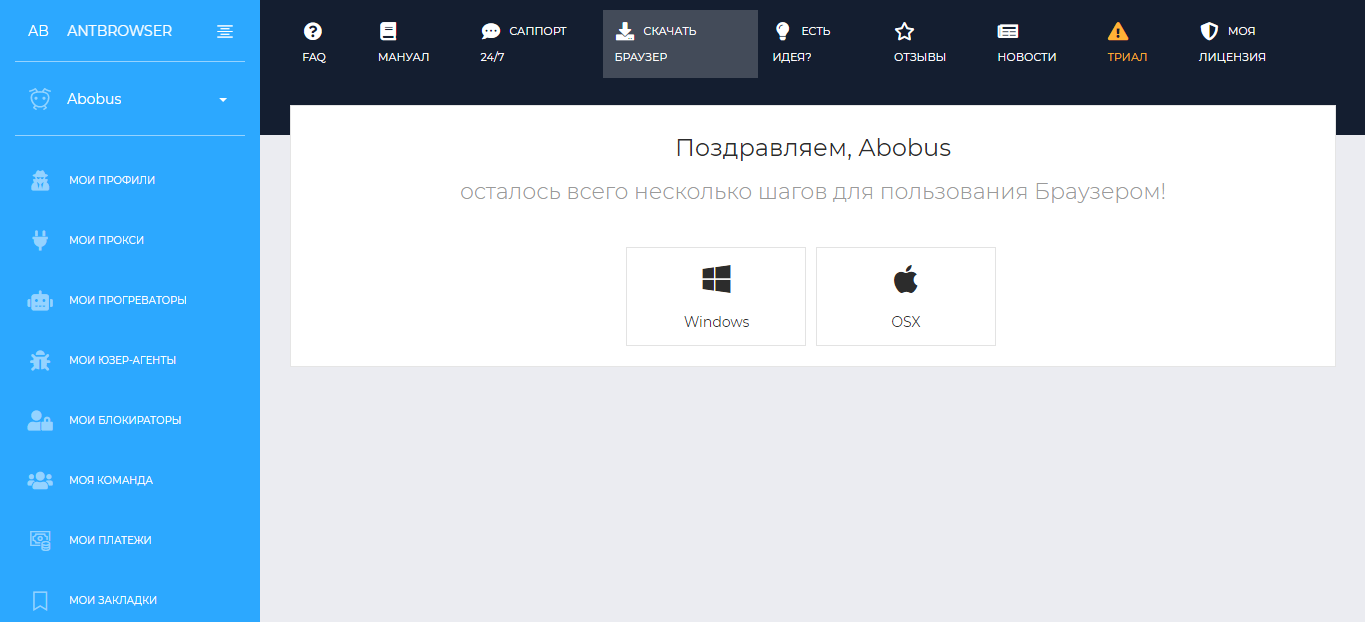
- When downloading, the developer himself suggests the installation procedure, and it is worth using it.
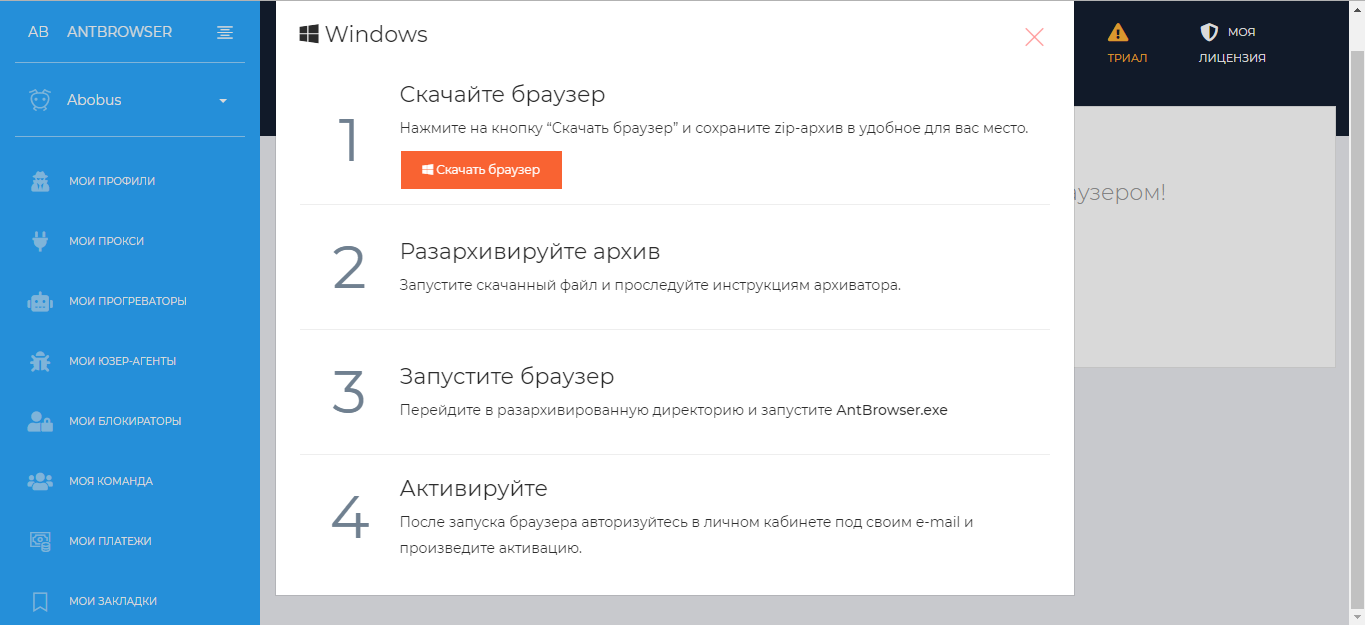
- After downloading and extracting the archive, open a browser.
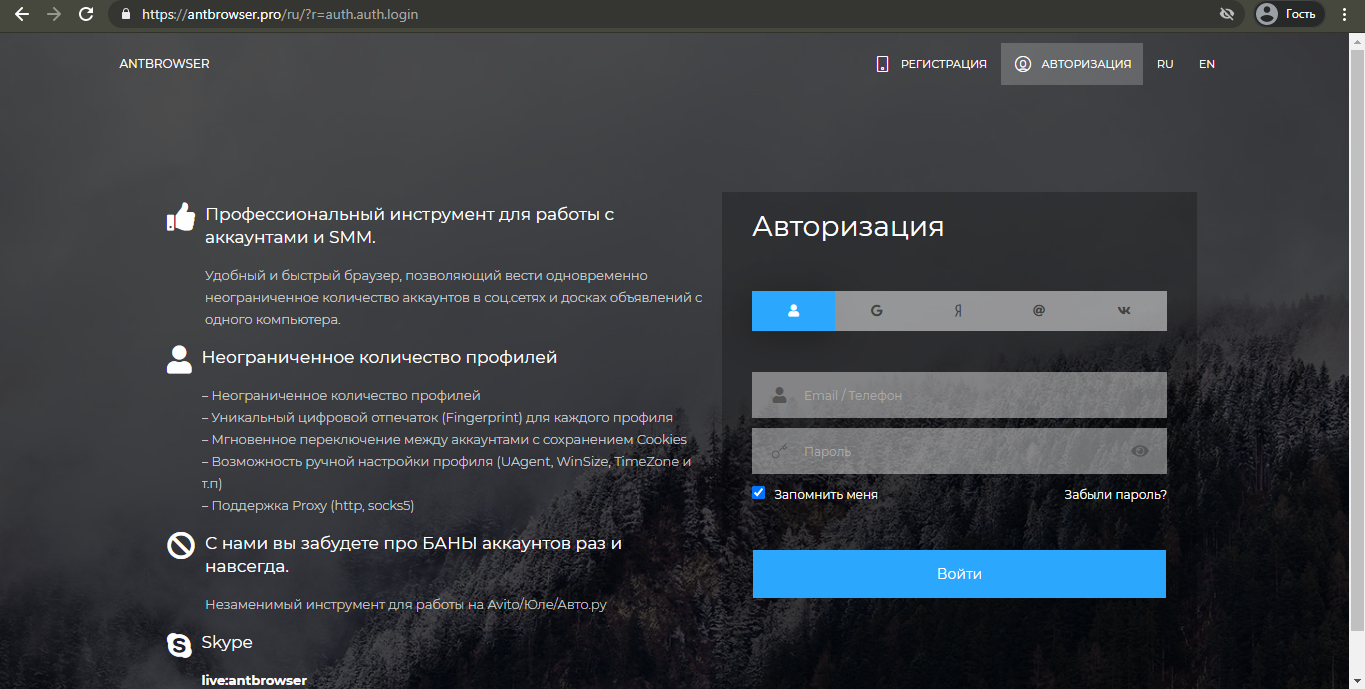
- Copy the link to the AntBrowser website from your browser and paste it into the address bar of the opened AntBrowser.
- Log in using the information provided during registration.
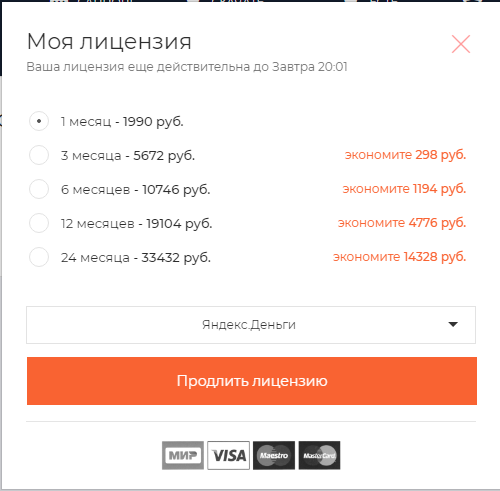
After registration, 1 day of free use of the browser is given. Unlike most other similar programs, there are no packages with more or less features - only a package with full use for a period of one month. The cost is 1990 rubles. You can buy a license for a longer period. The longer the term, the greater the discount.
How to set up proxy in AntBrowser
After registering, downloading and purchasing, you can set up a proxy and start using the browser with complete anonymity. For this you should:
- Go to the AntBrowser website and log in
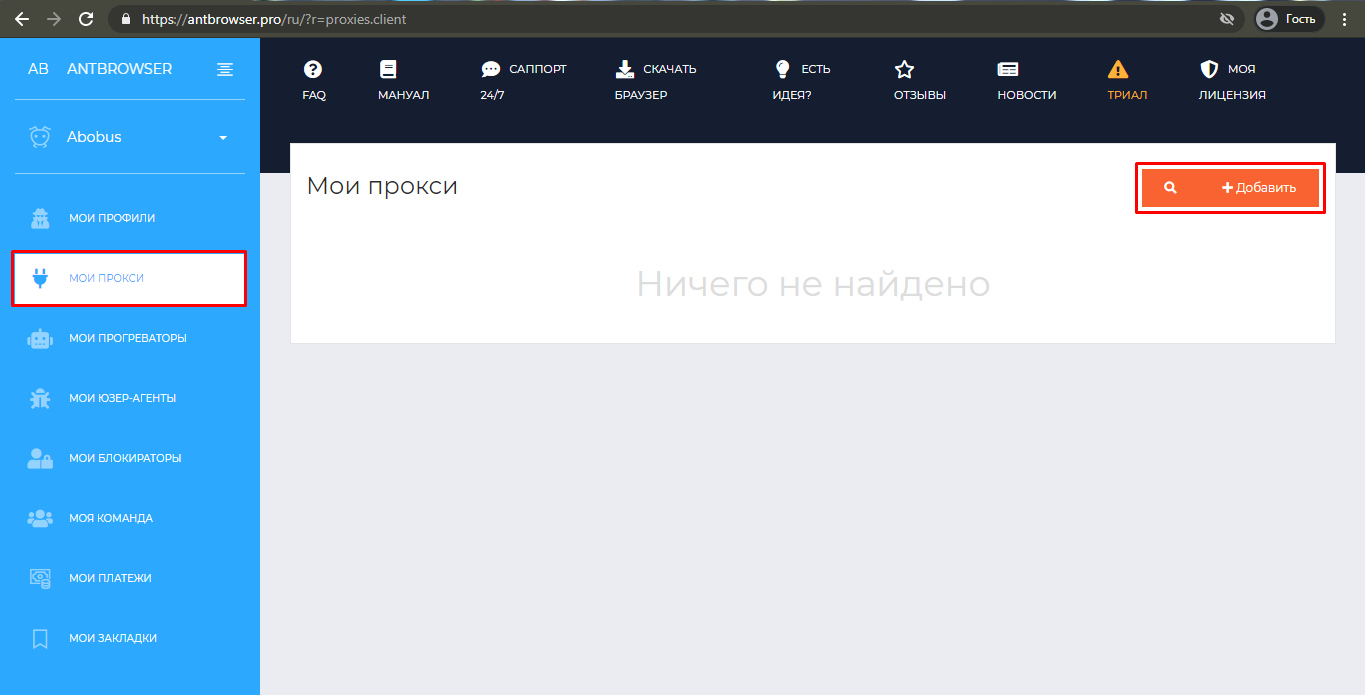
- Select "My proxies", then "Add"
- Enter your login, password and proxy IP address. Each line is responsible for a separate server. You can add multiple servers at the same time.
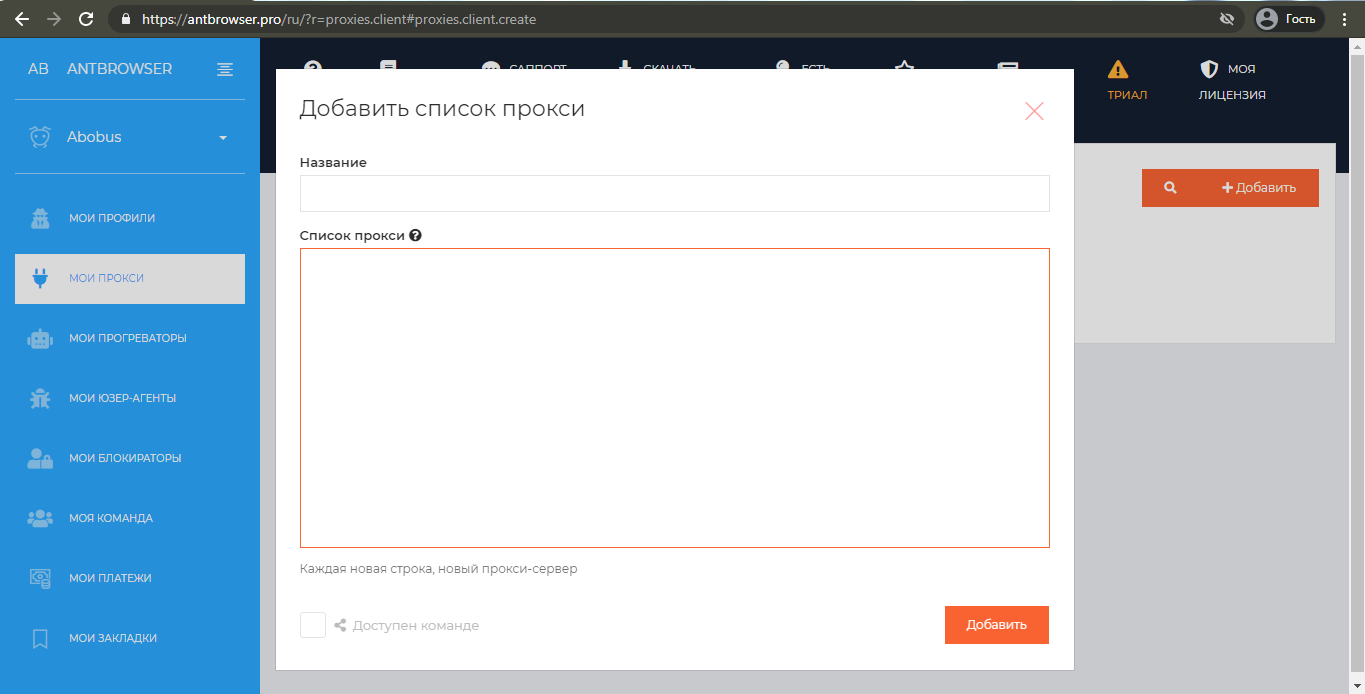
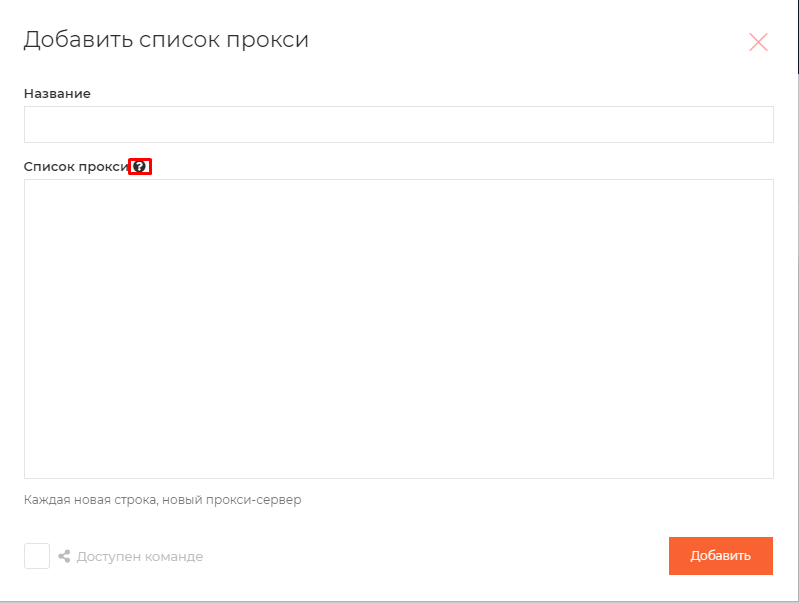
- The line with the private proxy address should look like this - login:password@proxy IP address|proxy port. Enter without spaces. When hovering over a question mark, an example of how it looks like is shown. If you are using a public proxy, then it will look like this: IP address: port.
After connecting the proxy, you need to create a profile and bind the proxy. How can I do that:
- Go to the AntBrowser website and log in using the details provided during registration: https://antbrowser.pro/
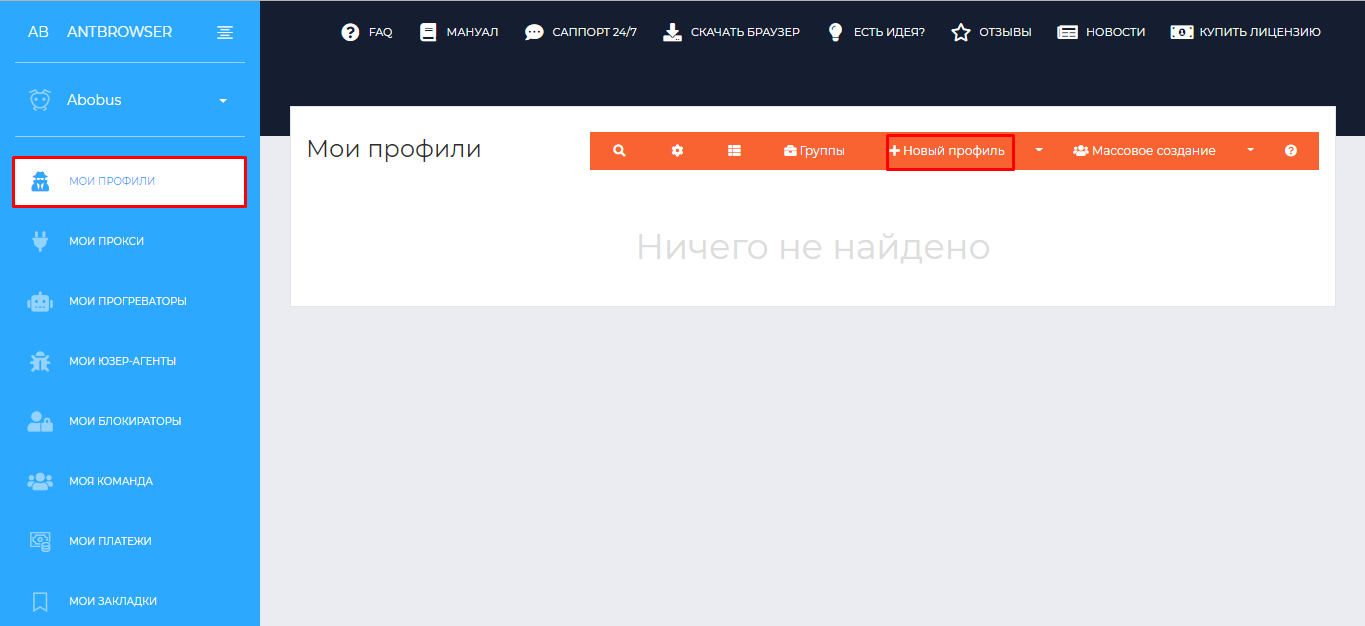
- Go to the “My Profiles” tab, then “+New Profile”
- Specify the proxy name and group, if necessary. Then select "Choose List". If you have registered more than one proxy, then when you connect, they will be selected randomly.
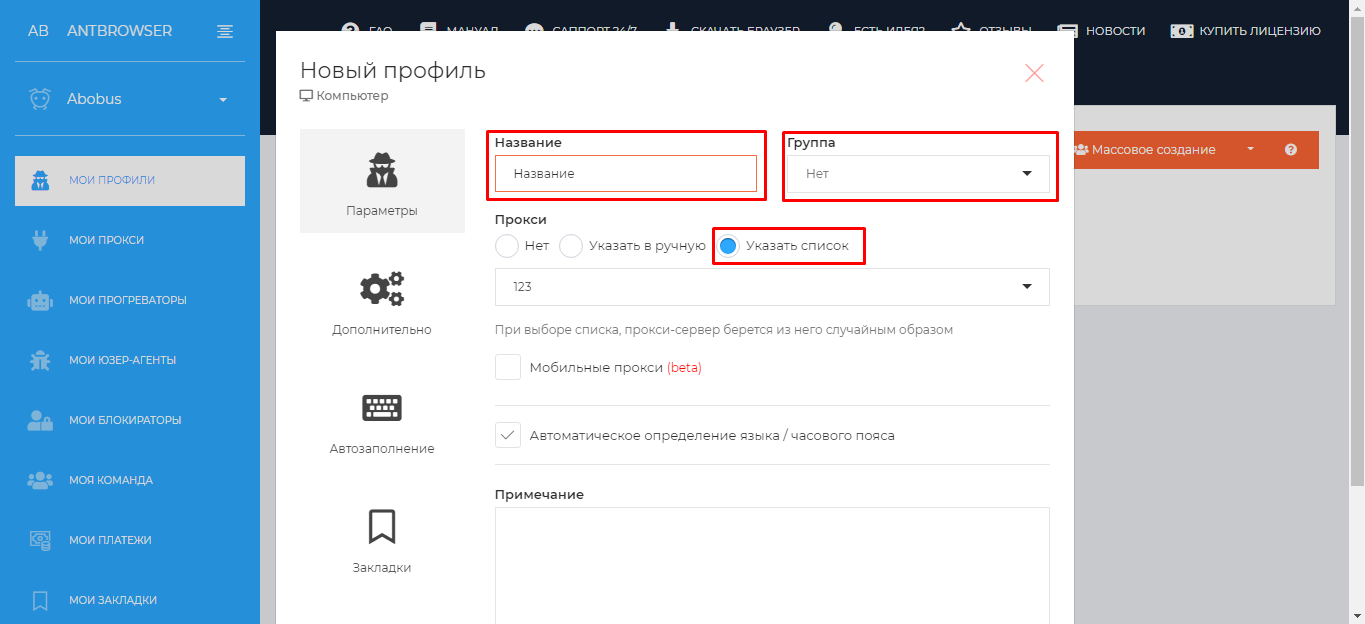
- In the “Advanced” section, you can independently configure the parameters that will be sent to sites, for example: screen resolution, WebRTC, geolocation, fonts, and so on. In the “Autofill” tab, you can set up a login and password for autofilling forms on different sites, for example: Yula, Mail.ru, Avito and others.
- After completing the settings, click the “Add” button. The profile was successfully created, the proxy was also bound.
If you connected the proxy correctly, then when checking the IP (for example, on the sites 2ip, reg.ru, whoer.net and others), the proxy address and the address indicated on the site must match. If they matched, you did everything right.