A proxy server is a device that visits sites for you and gives out ready-made information, after downloading it to your hard drive. Thus, your PC or smartphone does not directly communicate with the game server or web resource. This helps bypass individual or regional restrictions. If your IP is banned for violating the rules of the resource or visiting it is not available for residents of your country, then with a proxy you will have a different IP, which means access will be opened.
To make your device more difficult to trace, you can connect to the desired web resources through several proxies. That is, to build a chain in which your device will be the first link, and the desired web resource will be the closing one. Anyone who wants to get to you will have to bypass every intermediate link in the form of proxy servers. It's not that easy. Specifically: only overly motivated intelligence officers will be able to get to you. And only a serious offense can motivate them. So, if you are not an international criminal, then no mere mortal will be able to open your fortress of anonymity.
Since proxies in the chain redirect traffic from the client to themselves and then to another proxy, it is difficult for websites to track the user. This internal network with multiple layers also helps store cached website pages. Cached versions are like photocopies. This speeds up site loading times for the user.
Essentially, you can use proxy chains to run any program through a proxy server. This will allow you to access the Internet while hiding your IP address, run SSH/telnet/wget/FTP and Nmap applications. You use several proxies at the same time, "connecting" them together, and proxify even those programs that do not support proxies in their settings.
Creating a proxy chain
We will assume that the user connects approximately 3-5 proxies in the chain. Let's call them proxy1, proxy2, proxy3 and so on. Here are two options for setting up a proxy chain.
Setting up a proxy chain in Windows
To create a proxy chain through the standard settings in WIndows, repeat the following steps:
- Click on the "Search" icon on the Windows tab.
- Type "Control Panel" in the search bar.
- Select the "Network and Internet" option from the list.
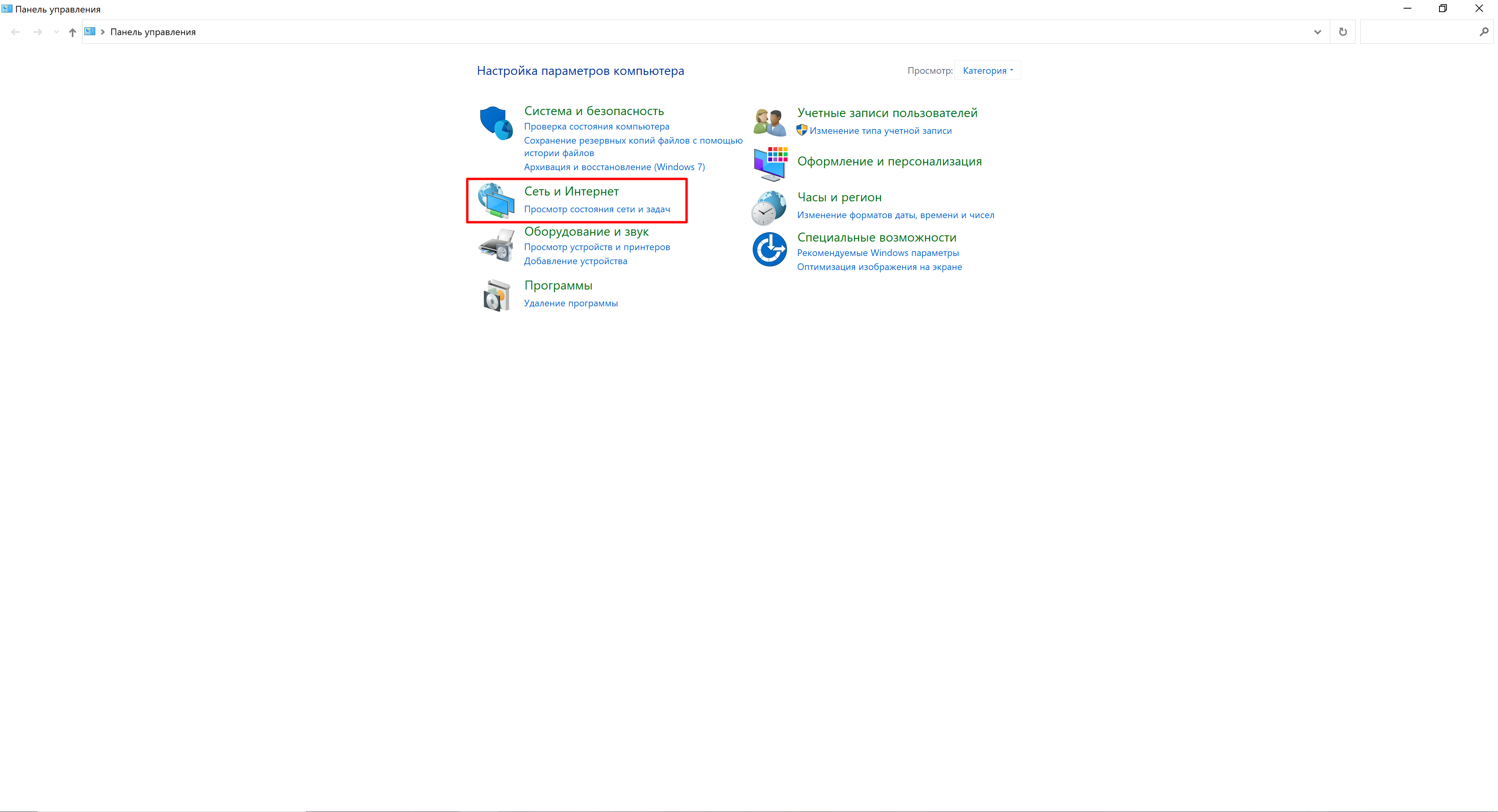
- Next, "Browser Options".

- Next, click on the "Connections" tab.
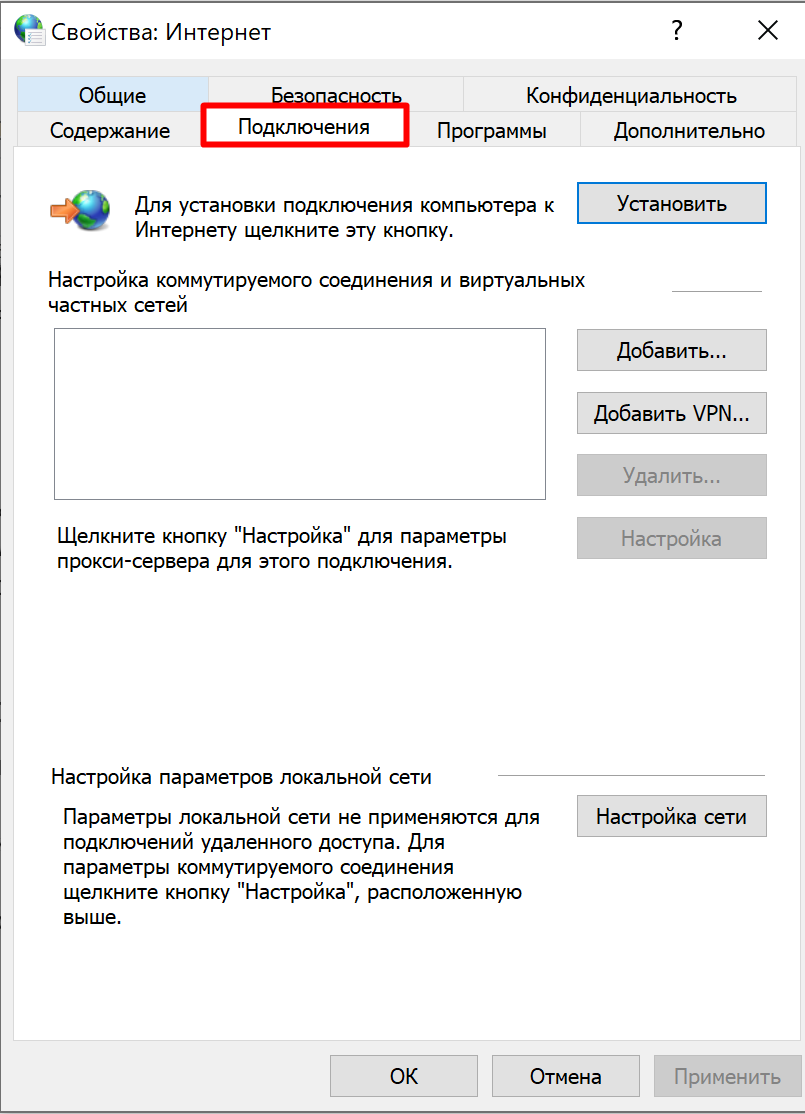
- On the same tab, click "Network settings".
- The proxy settings window will open. Check the box next to "Use a proxy server for local connections".
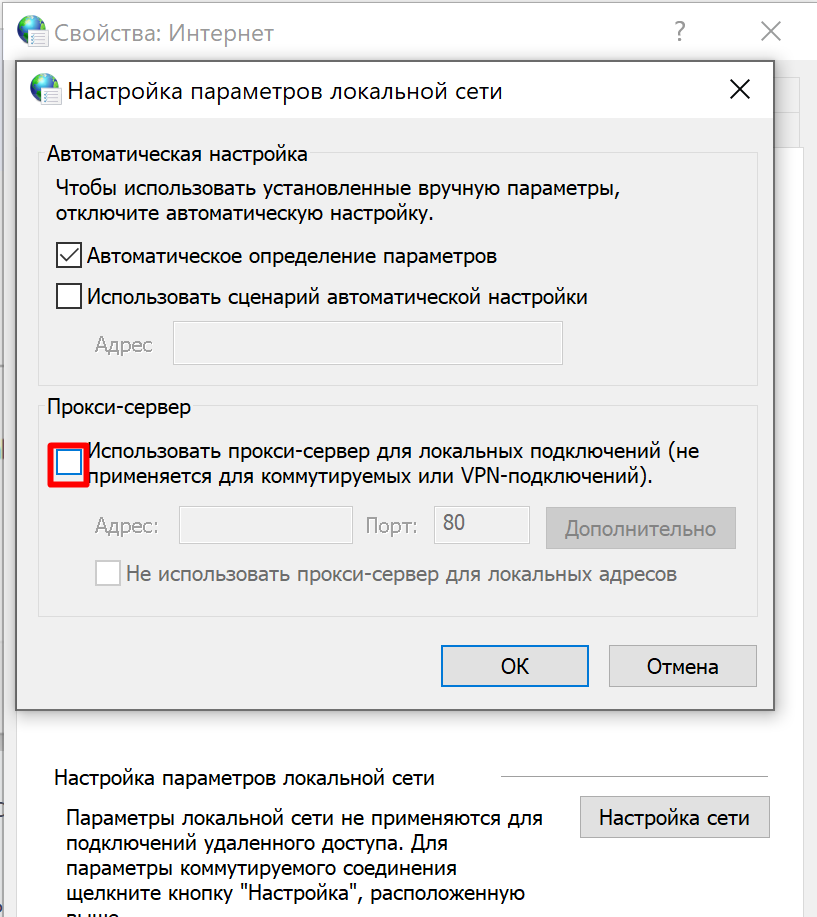
- Then click on the "Advanced" button.
- Here add a set of proxies one by one.
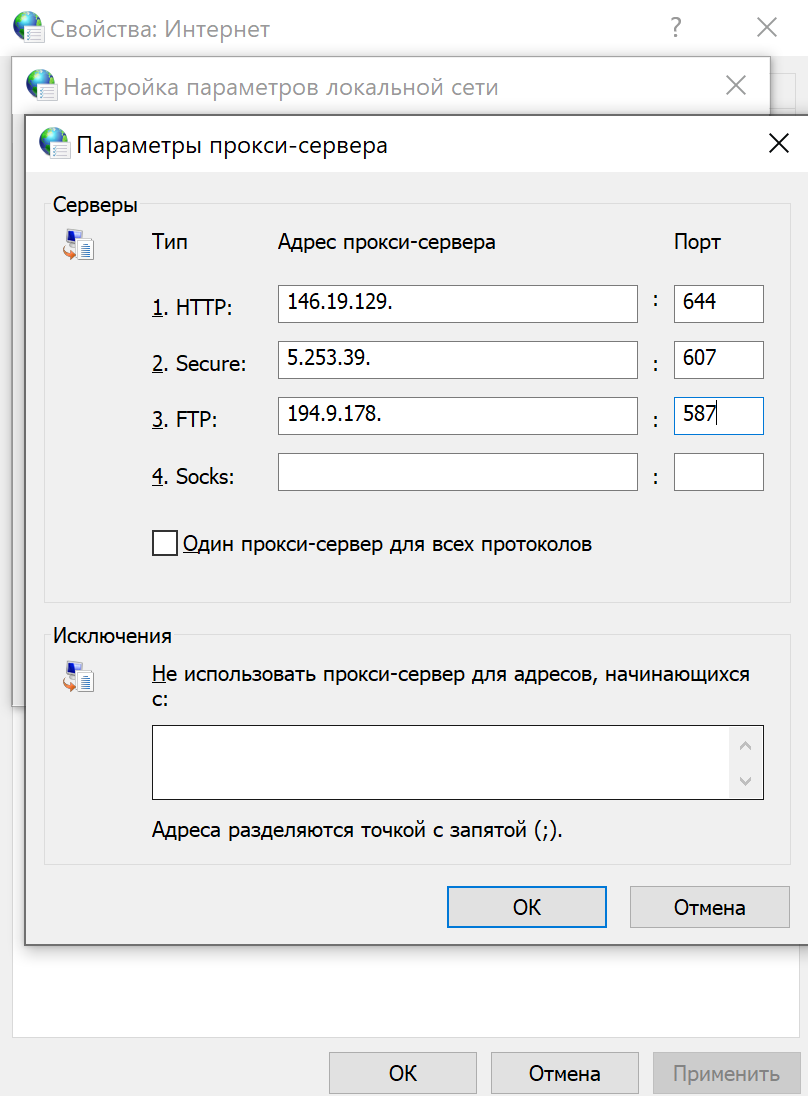
- Click OK.
Ready. You have created a proxy chain for all applications in Windows. In our example, you will have three intermediate proxies in the chain.
Setting up a proxy chain in Proxifier
With Proxifier you can proxy any application on your PC, create connection rules and proxy chains. This program is available free of charge for a month. It is convenient and easy to manage. Keep the following in mind when working with proxy chaining:
- The chain can contain proxy servers of any type: SOCKS4/5, HTTPS. However, if you are using an HTTP proxy, then it must be the last one in the chain.
- If at least one proxy does not work, the whole chain will not work.
- The total delay will be equal to the sum of all delays on all proxies in the chain.
- If the connection is dropped on one proxy, the entire connection to the remote host is lost.
So, here's how to easily and quickly create a proxy chain in Profixier:
- Go to the profile item.
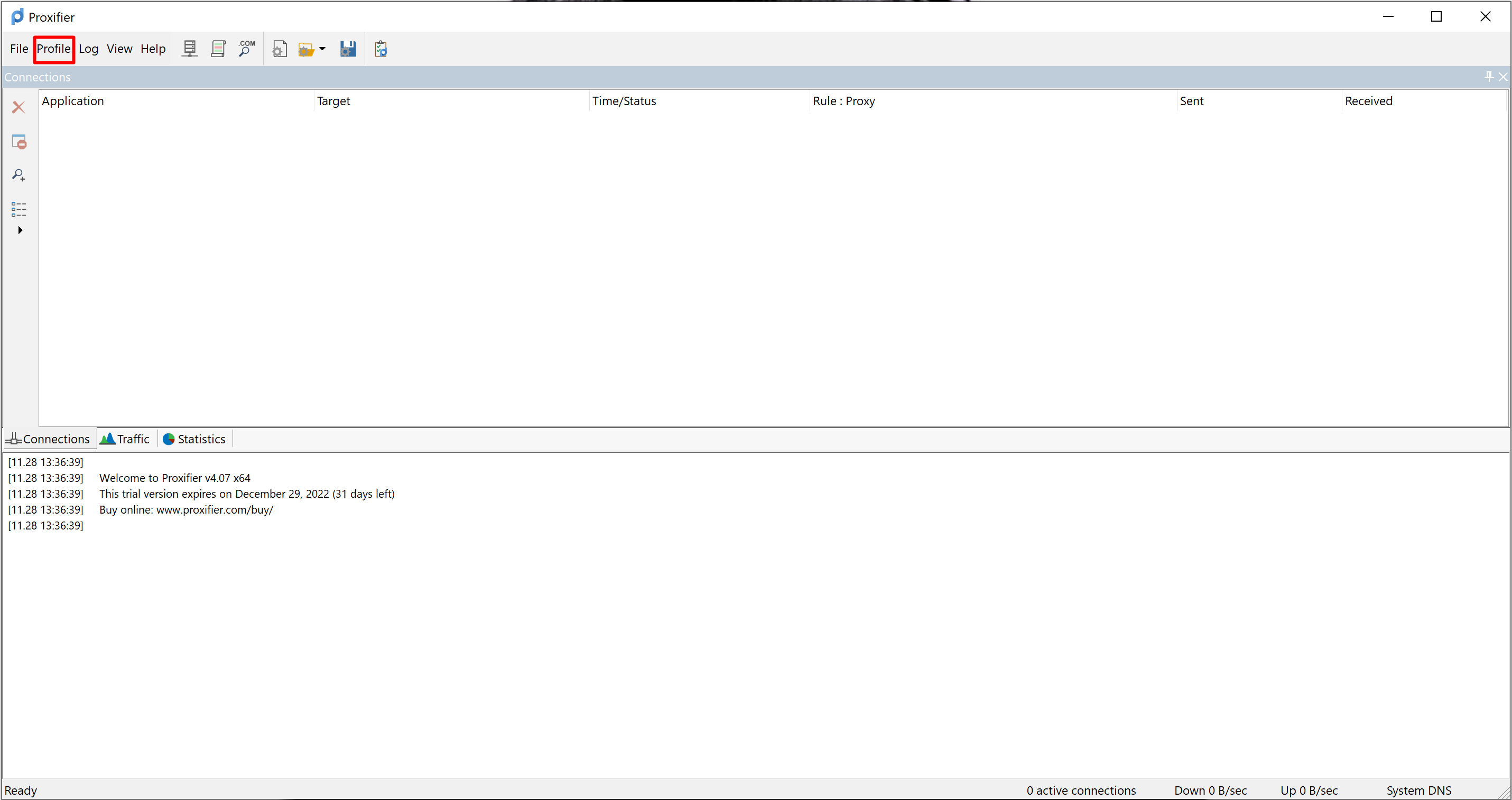
- Next Proxy Servers and Add.
- In the window that opens, enter the IP, port, as well as the username and password from the proxy. A window will automatically appear in which you must agree that the proxy will work for all applications on the computer, click "Yes".
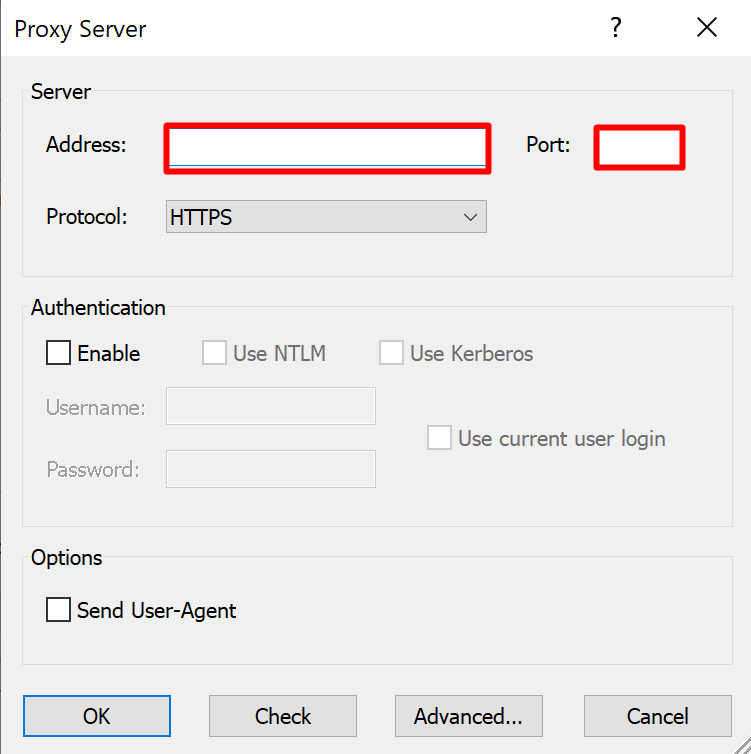
- In the same way, add a second proxy server.
- Now that there are two proxies, we can already create a chain.
- In the same Proxy Servers window, click on the Create button and drag the two created proxy servers to the lower window on the name of the chain.
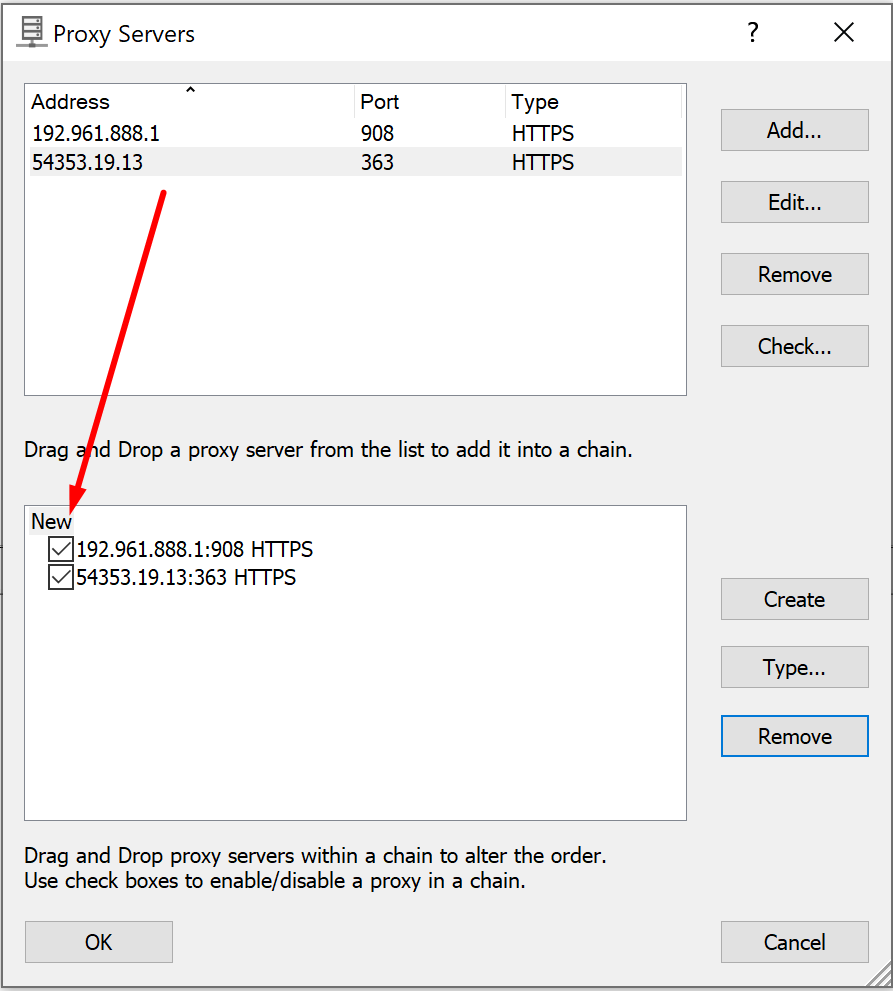
Ready. Now all browsers and other applications on the computer will work with the Internet through this chain. In Proxifier, you can also set up a rule for individual applications and make individual chains work for specific browsers. For example: one chain for Opera, one for Chrome, etc.
So you've learned that bundling multiple proxies can be beneficial in terms of increased anonymity and security. If you want to experience a quality proxy service with several proxies in the chain, then refer to our ranking of the best providers. You can find proxies of any protocols that allow you to build a reliable chain of proxies.