
There are many extensions available in browsers that allow you to use a proxy, but choosing the right one is not easy - you need to know the features of each extension. Some allow you to work with your own proxies, others allow you to download a whole list of them or connect to free proxy servers. In this article, we will analyze several different extensions for working with proxies in Yandex browser.
How to install add-ons in Yandex.Browser
The Yandex browser runs on the well-known Chromium platform. He shares the platform with Google Chrome, allowing you to install and use add-ons from their app store.
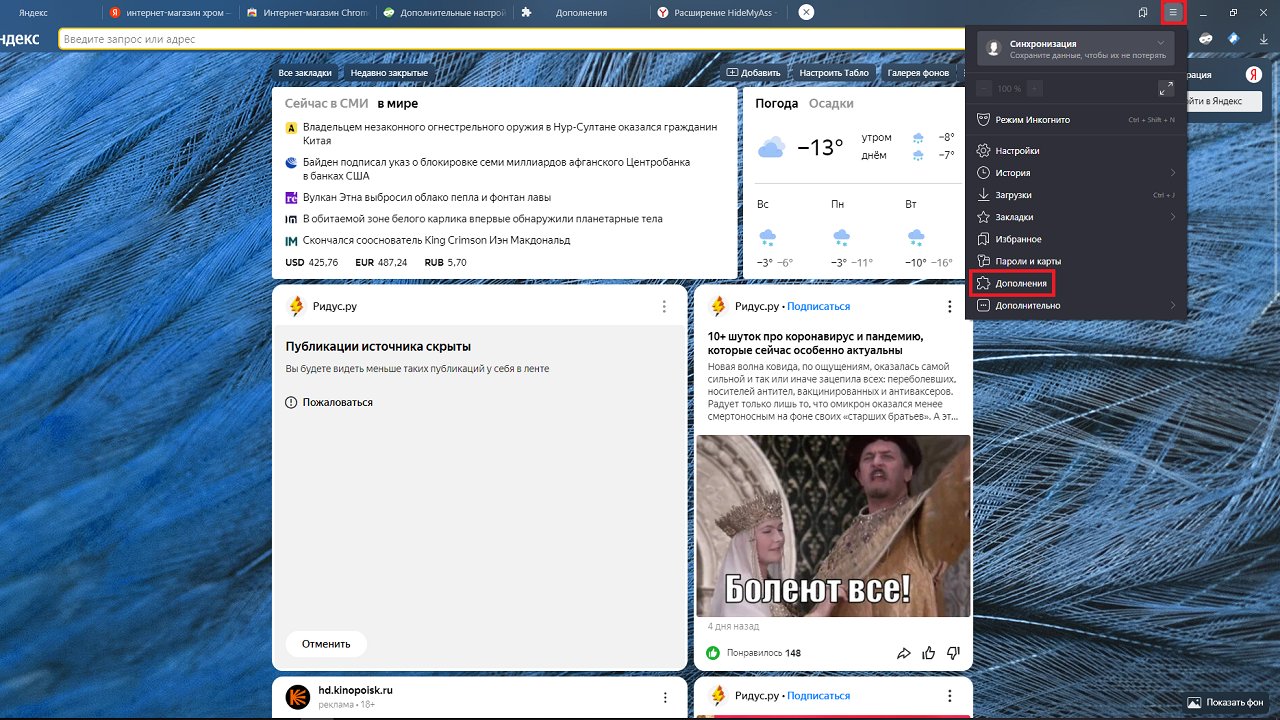
To install the extension, click on the three bars to the left of the "Minimize Window" button, then on "Add-ons".
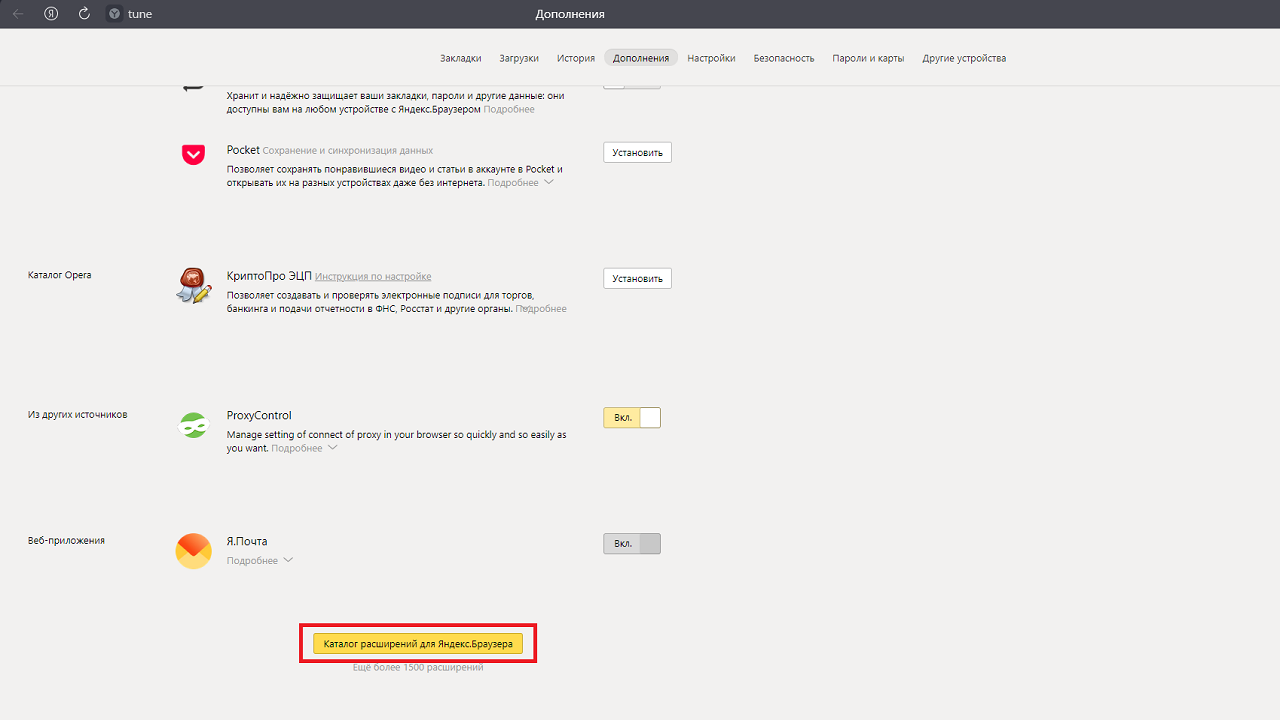
In the tab that opens, scroll down the page to the very bottom and select "Extension catalog for Yandex.Browser".
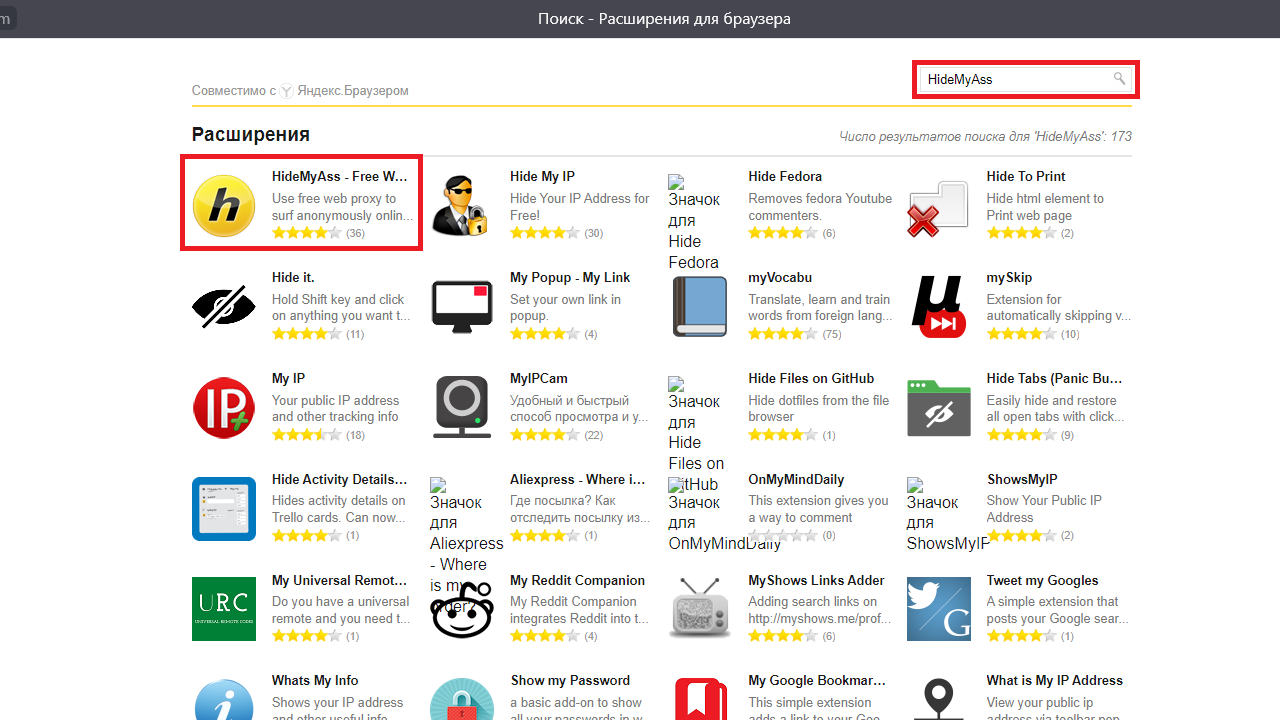
Type the name of the desired add-on into the search field in the upper right corner, and when it is found, click on its icon.
Then the button "Add to Yandex.Browser". If the installation was successful, a notification will appear. You can enable and configure the installed extension to the right of the address bar by clicking on its icon.
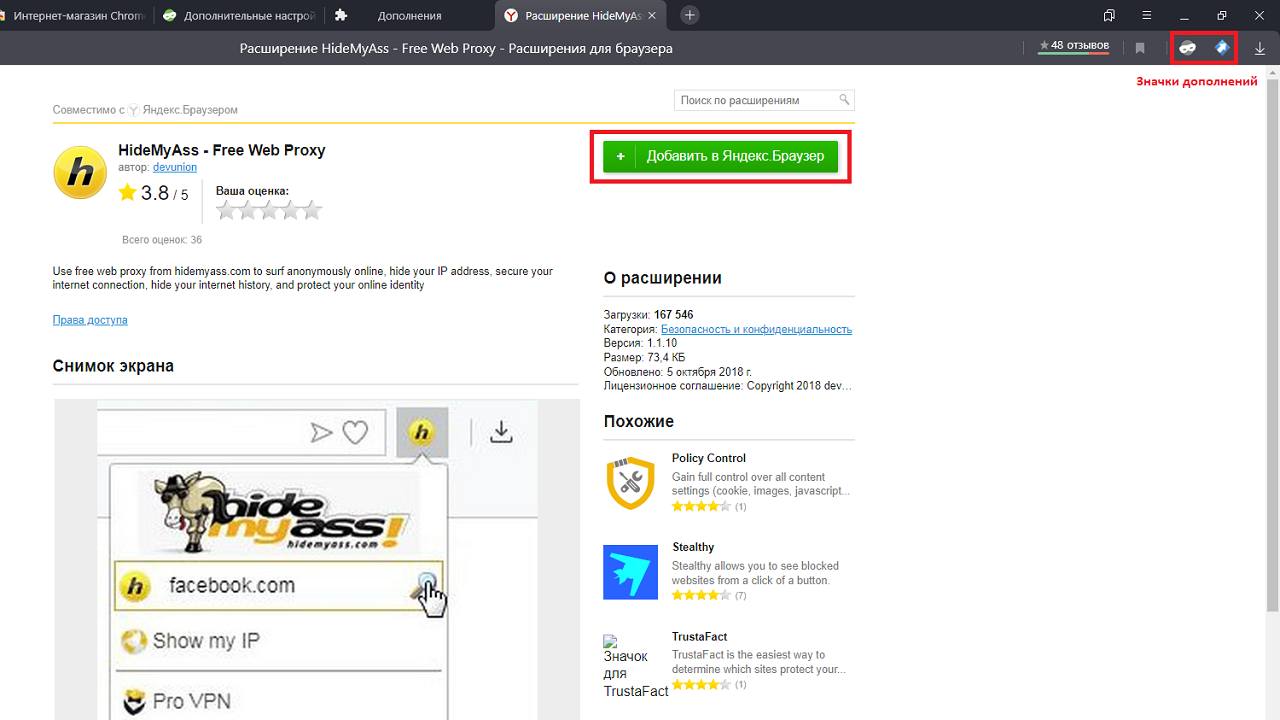
ProxyControl
A free extension from the well-known proxy rental service Proxys.io. It is not among the add-ons for Yandex.Browser, but is available in the Chrome online store. To configure ProxyControl after installation, click on the "face mask icon".
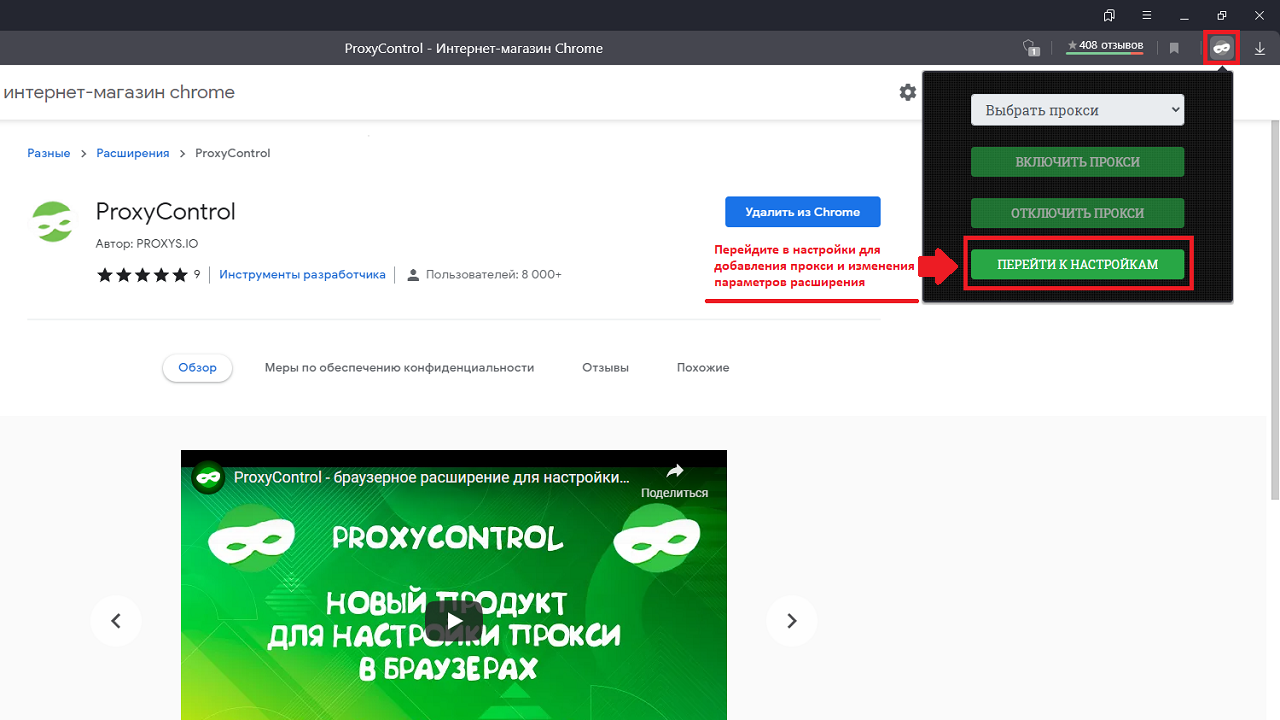
The application allows you to add your own proxies with HTTP and HTTPs connections. Connection via Socks4 and 5 is not available.
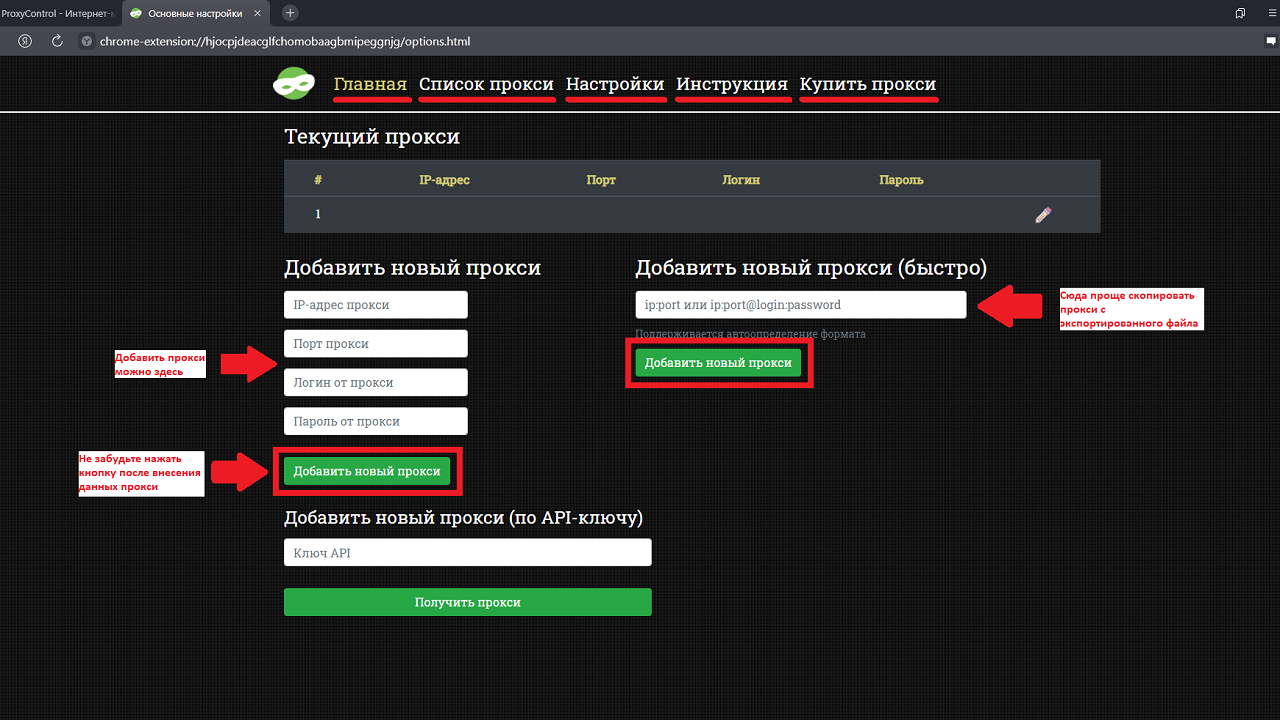
The functions of whitelisting sites and removing duplicate proxies have been implemented. Hotkeys can be configured for your convenience. If you have paid proxy plans on Proxys.io, you can set up a proxy by inserting an API key (a very convenient way to set up a proxy).
Proxybonanza Proxy Manager
An extension from the proxy rental service of the same name. Allows you to import purchased ip in the Proxybonanza service using an Api key, you can also add your own proxies. It is possible to add a list of IPs from a CSV file. Supports HTTP(s) protocol.
To configure the proxy in the add-on, click on the "white arrow in a blue square" icon.
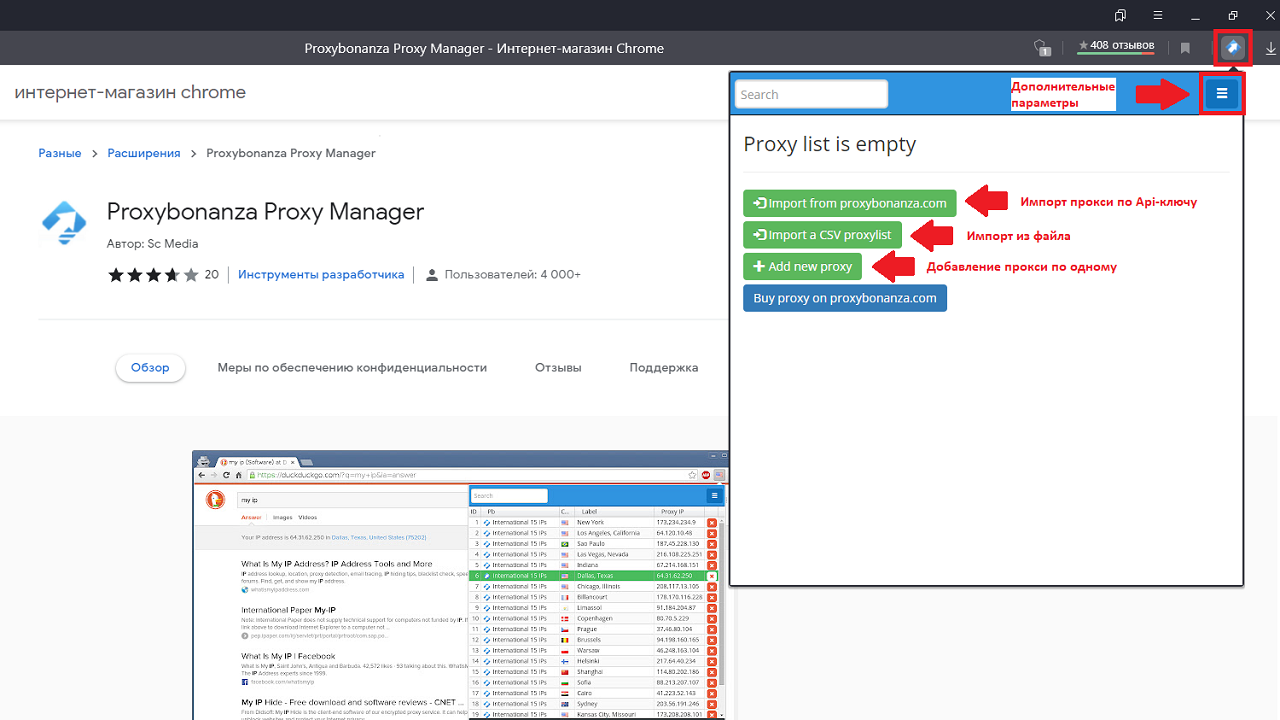
Setting up a proxy in this extension is intuitive. You can add an address using the "Add new proxy" button. In the tab that opens, select the country where the server is located and fill in its details: address, port, name and password (if required).
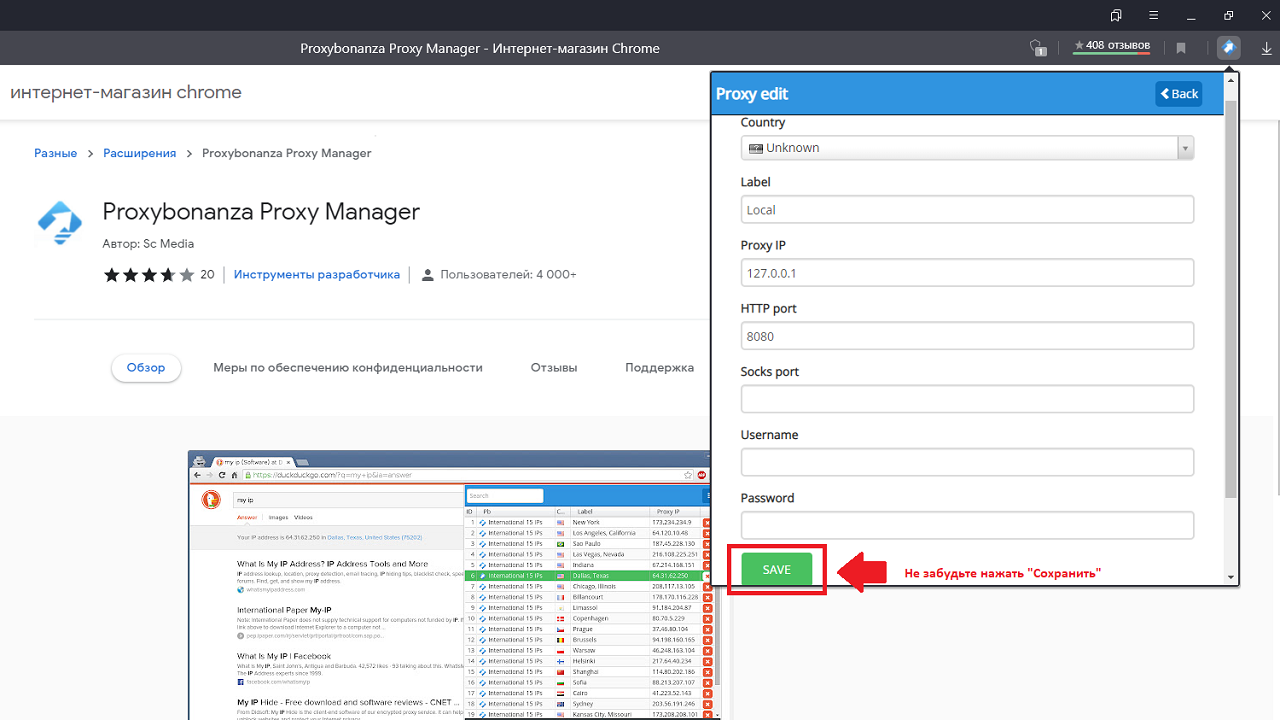
After adding several addresses, they can be switched in the add-on settings.
Proxy Finder (IP Switcher)
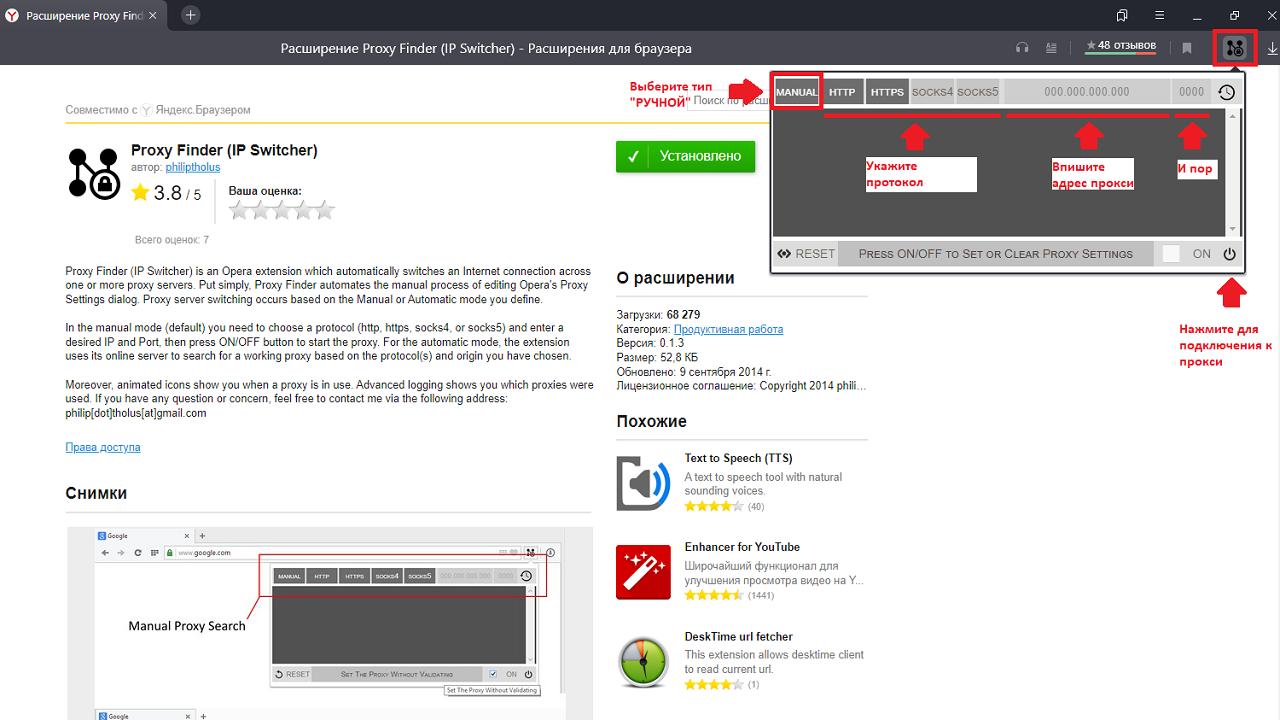
Free add-on with a simple design and clear interface. You can access the Proxy Finder settings by clicking on the icon with the letter "N" with three dots in the corners. The extension allows you to add your own proxy servers of different protocols: HTTP, HTTPs, Socks 4 and 5.
There is no function to add IP addresses by list, you can add proxies only one at a time. To do this, switch the mode from "auto" to "manual", select the desired connection protocol and drive the server address and port into the required fields (to the left of the protocol names), then click the "On" checkbox and the power button. You can also connect to free proxy servers. To do this, switch the mode from "manual" to "auto" and press the power button.
GeoProxy
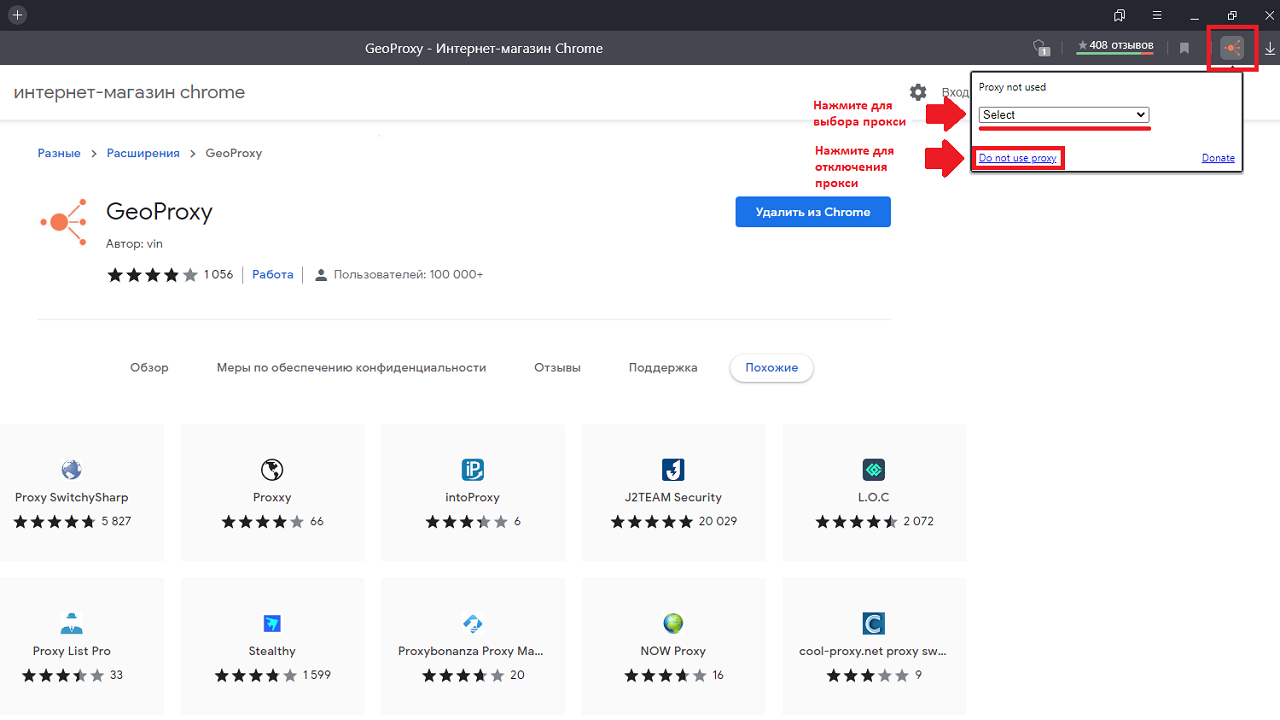
Yandex browser extension with free proxy serverswhich can be used without registration. It does not have the ability to add your own IP addresses, but open proxies in 60 countries of the world are available to choose from. The add-on is not available in Yandex.Browser, to install it you need to go to the Chrome online store.
The interface is simple and clear: to select and connect a proxy server, click on the "orange network" icon to the right of the address bar. In the tab that opens, select the country where the server is located and the address you like. To switch to another Ip, click the "Do not use proxy" button and repeat the server selection. Unfortunately, it is not always possible to connect to the desired ip, so it may take time to find a working proxy.
hide my IP
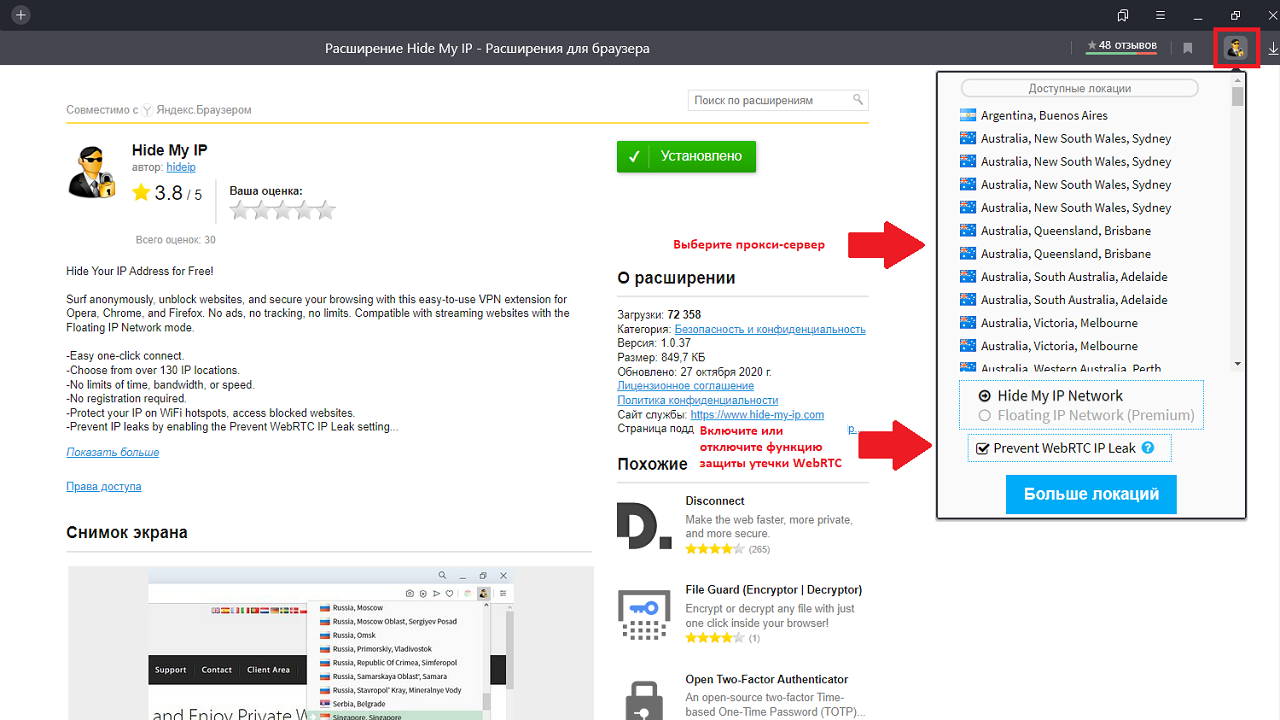
One more free proxy extension for Yandex.Browser. Just like the previous one, Hide My IP does not allow you to add your own proxy server, but only use it from the existing list. But in this add-on, about 200 ip-addresses are available without limits on traffic, speed and time. Registration for the service is not required.
You can configure the extension using the "with a man with glasses and a lock" button. Available proxies for connection will appear in the drop-down window. Here you can enable the "Prevent WebRTC IP Leak» to prevent ip leak. It is also possible to connect to a premium tariff, which is available in the Hide My IP service.