Aezakmi is a multi-account browser that allows you to customize your own fingerprints. This is useful for working on sites and web services with a good anti-fraud system. For example, for farming profiles and working in the Facebook advertising account, working with bookmakers or registering Google accounts.
Site profile settings
Before you start, download and install the program on your computer. It is advisable to disable the antivirus during the installation and operation of the browser, as it can delete some executable files, considering them to be viruses. Then you need to log in to the program website. By clicking on the "Select lang" button in the upper right corner, you can change the language. After authorization, proceed to the creation of a browser fingerprint, in which you need to select:
- operating system;
- Screen resolution;
- Browser;
- Video card model.
After, you need to click the "Generate fingerprint" button, enter its name in the lower field and save by clicking "Save fingerprint". If everything is done correctly, the button should change to bright green with the mark “Fingerprint generated successfully”.
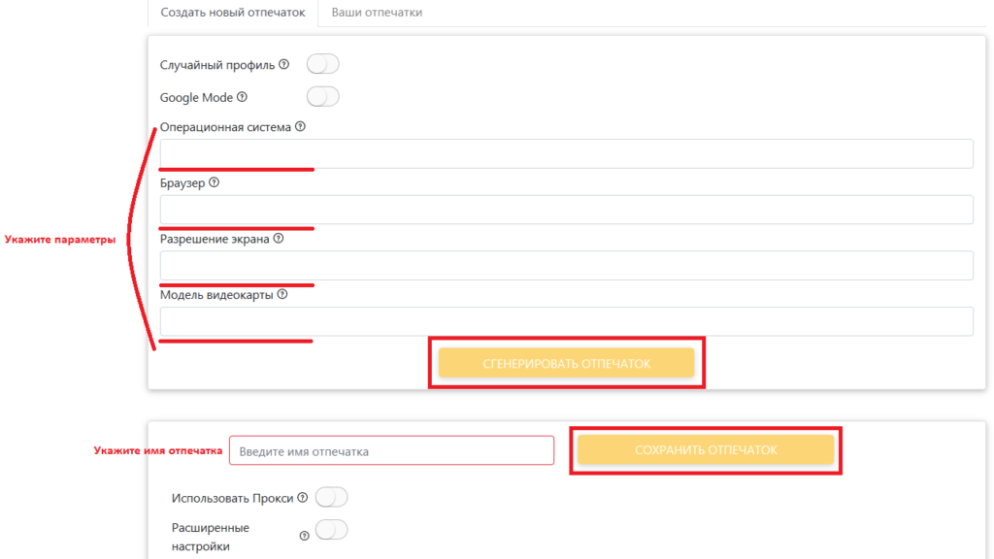
If you create a profile to work with Google services, it is recommended to enable the "Google Mode" function, it adds several settings to fingerprints that help bypass Google's anti-fraud system.
You can also enable the "Random Profile" function - with it, you only need to select the screen resolution, the system will randomly select the rest of the settings on its own.
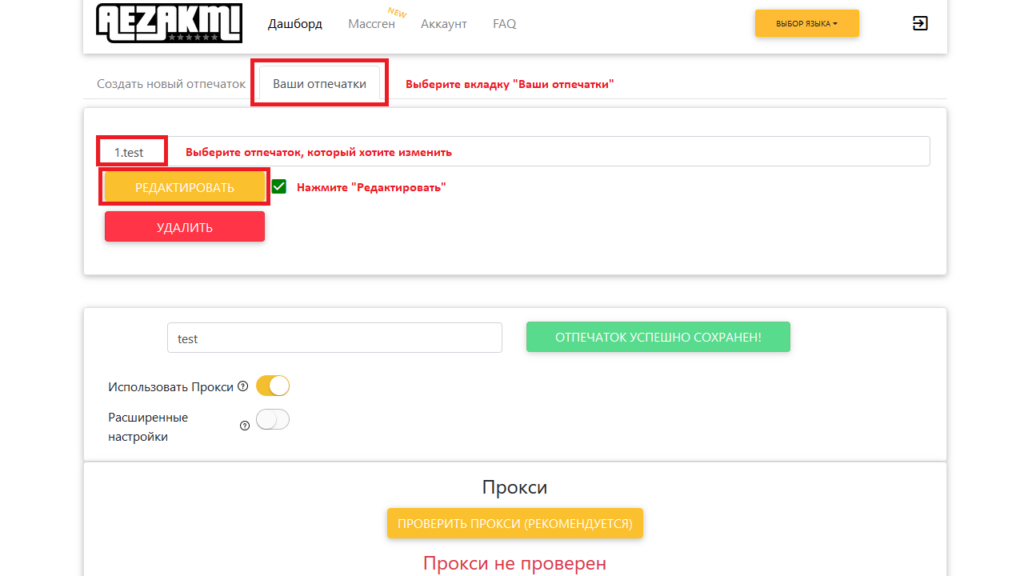
You can change the created profile on the "Your fingerprints" tab. To do this, select the name of the print and click "Edit".
Proxy settings
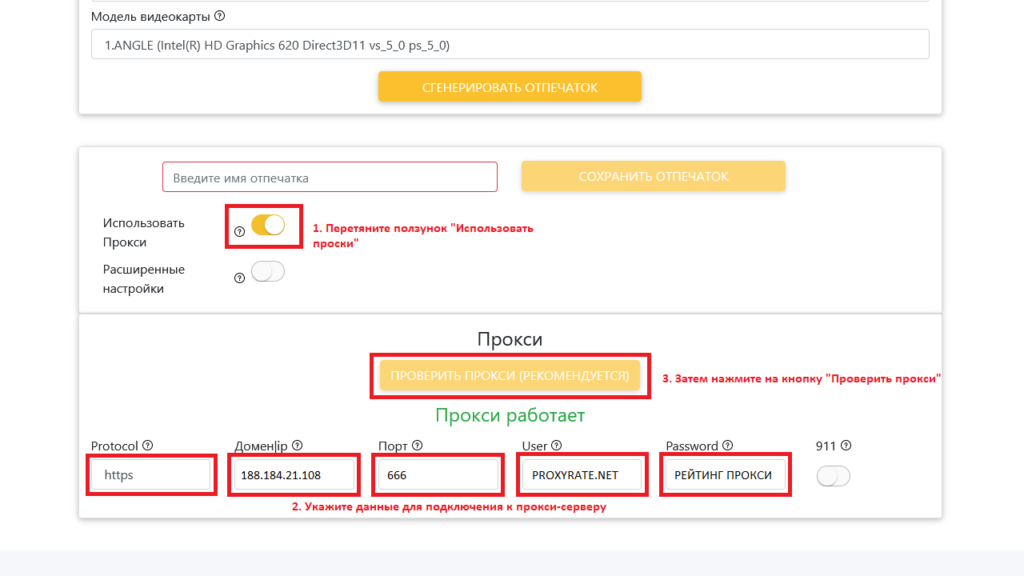
After setting the browser profile settings, under the "Generate Fingerprint" button, find the slider to use a proxy and enable it. An area will appear at the bottom of the screen where you need to specify:
- protocol used;
- IP address;
- Port;
- Username and password.
Aezakmi supports HTTP, HTTPS, SOCKS4 and SOCKS5 connections. After the data is entered, you need to check the specified proxy server for operability. If it is working, then a green inscription "proxy is working" will appear.
If the Socks5 protocol is used to connect, then you need to authorize by ip in the proxy, without entering a name and password, since this method does not work for Socks5 in Chromium. But it is important to understand that when you change the ip-address, the proxy will stop working.


Advanced settings
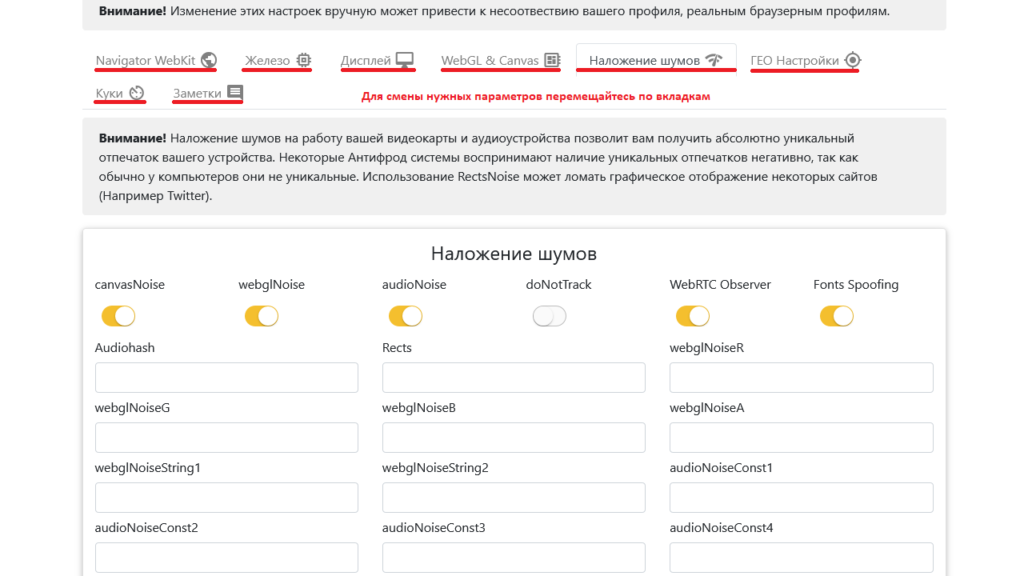
You can also go to advanced settings by clicking on the appropriate slider located under the "Use Proxy" function. Here you can specify many parameters manually:
- customize the display
- change the settings of the WebKit engine (for example, specify the UserAgent);
- change iron;
- configure WebGL and Canvas;
- impose noise;
- change geoparameters;
- insert cookies;
If you do not understand these settings, it is better to leave them as they are, the Aezakmi system itself will select the correct parameters. It is better not to change some of them at all, since the geolocation is configured automatically, according to the location of the proxy server, and it is not advisable to change it.
Getting Started with Aezakmi Browser
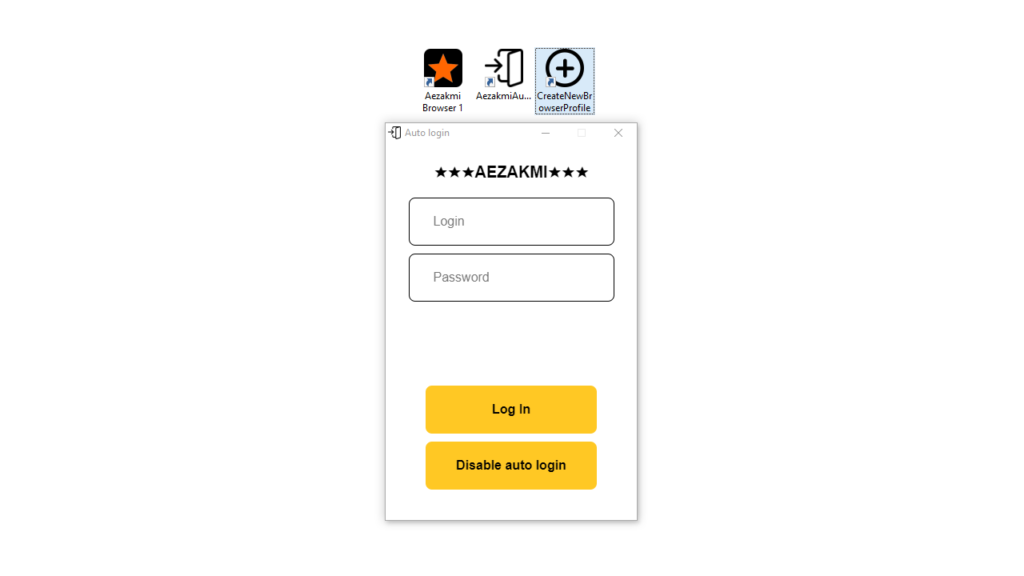
To get started, you need to log in to the program under your account. The autologin shortcut is available on the desktop after the program is installed.
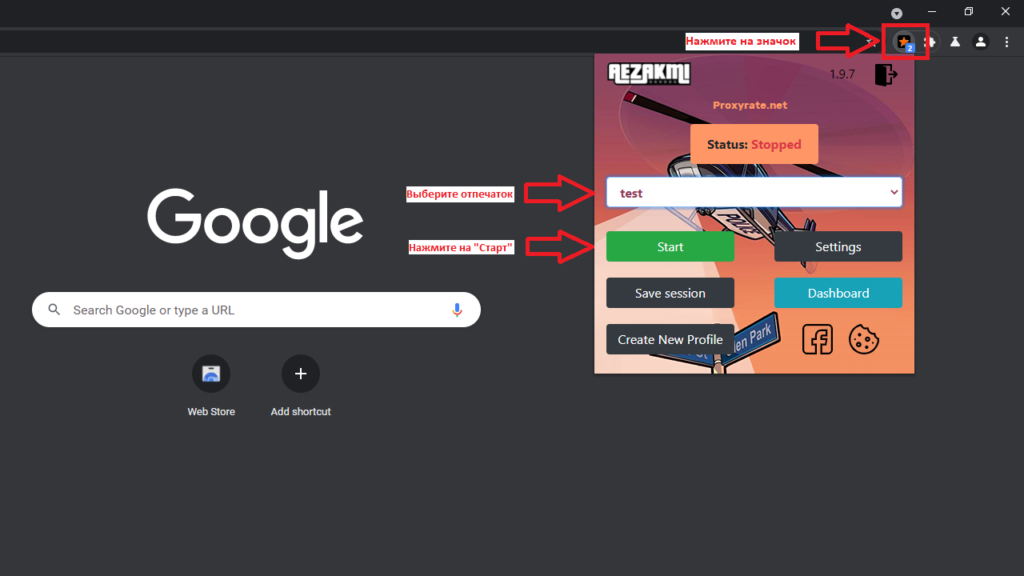
After that, you need to go to the browser itself, click on the star icon to the right of the address bar, select the created fingerprint profile and click "Start". The specified fingerprint will be stored on this browser profile.
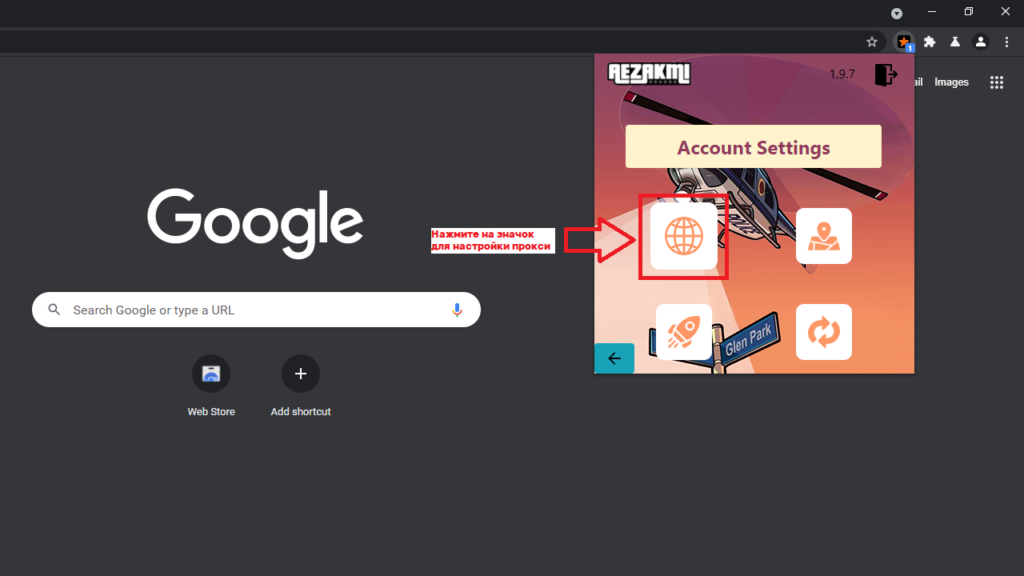
Proxies can also be configured at this stage, to do this, click on the "Settings" button, then on the "Set proxy" icon in the form of a globe. Enter the proxy server details and click on the "Set proxy" button. Upon completion, a notification of the accepted changes should appear.
The proxy will now bind to this browser profile. If it is working, then the whoer site tab will open, and if you need to create another profile, then you should repeat all the steps from the beginning:
- first create an imprint in Aezakmi's office and save it;
- create another browser profile - click on the "CreateNewBrowserProfile" shortcut, which will appear on the desktop after installation (plus icon in a circle);
- authorize the created fingerprint in the profile.
Despite the differences in the profile settings, you need to bind your own ip-address to each profile, this will save accounts from being banned by ip. It is also advisable to use high-quality proxy servers. You can find a good service on our website. You can check reviews and ask questions on a separate tab dedicated to the proxy rental service. Also don't forget to share your feedback with other users.