Thanks to the intermediate server, users bypass geo-blocking and anti-fraud systems. An IP address is added on all operating systems, and Windows is no exception. Therefore, in this article we will tell you how to set up a proxy on Windows 10. This is done in different ways, we will show one - in the system settings. But this method is not suitable for everyone, so we will give alternative ways to connect IP in the top ten.
Who is not suitable
This method is not suitable for those whose proxies are protected by a username and password. "Windows 10" does not support the username and password for the IP address, which is connected manually in the computer's system settings.
What to do?
- Add IP directly in software/messenger/browser. As for browsers, our site already has instructions for Google Chrome, Mozilla Firefox and safari.
- If the software / messenger / browser does not support the use of IP - use a third-party program. It can be Proxifier or proxycap.
If you have a public staging server, feel free to read the simple step-by-step instructions below. We have attached screenshots for each item of the manual for clarity.
Instruction
The algorithm is this:
- Click "Start" and open "Settings".
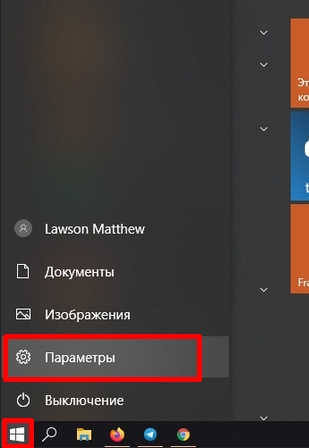
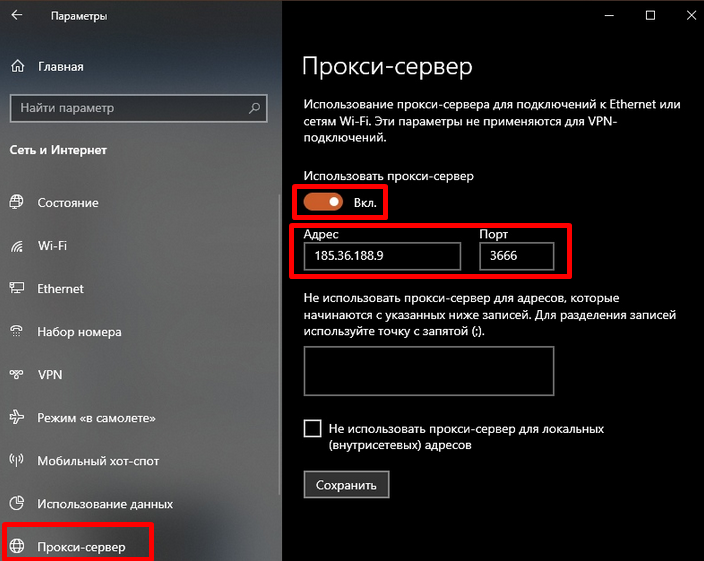
- Select the "Network and Internet" section.
- Open the "Proxy Server" item and do the following:
- drag the slider to "On";
- enter the IP address and port of the intermediate server.
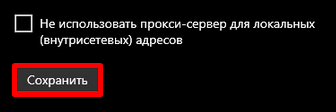
- We click "Save".
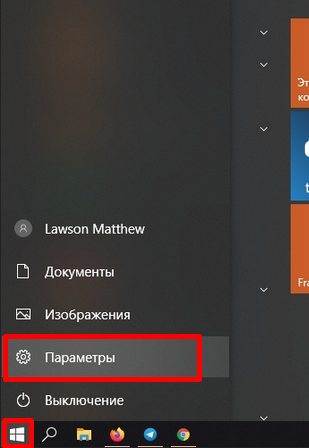
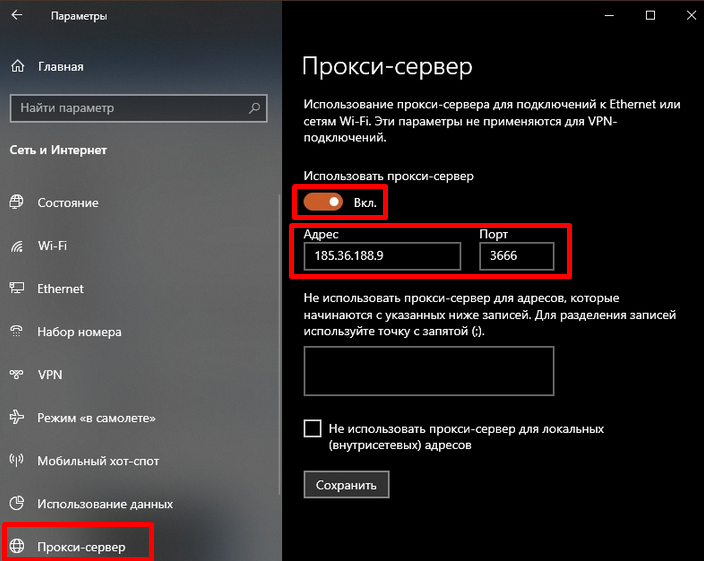
That's it, the IP address has been added. To turn it off, follow the path Start —> Settings —> Proxy Server and in the "Use a proxy server" item, drag the slider to "Off."
Where to buy a proxy for Windows 10
Public IPs are taken on the Internet for free. But! These addresses are used by everyone - 10-15 people, sometimes more. Because of this, the IP address server is overloaded - and the following happens:
- the Internet is dull: the page is loaded not in 1 second, but in 40;
- The ip crashes every few minutes because the server can't handle too much load. Depending on the workload, the IP “lifetime” will be different: some will crash after 5 minutes, some after half an hour of work. The result is one - you have to look for a new one;
- but some proxies will immediately turn out to be “broken”, that is, non-working. You connect - and the real address will still be visible.
Paid intermediate servers are always protected with a login and password, so they work quickly and do not crash. Paid IPs are never “broken”, they are reliable.
But not all sellers are as reliable as paid proxies. Therefore, we have compiled a rating of high-quality proxy services for you. The addresses of all suppliers were tested themselves according to several criteria, so the top turned out to be as objective as possible. To learn more about the seller, click the "Browse" button. To open the seller's website, click "Go".